Roboto Font: The Complete Guide to Free Download and Usage
Table of Contents
- What is Roboto Font?
- Why Choose Roboto Font?
- How to Download Roboto Font Free
- Installing Roboto Font on Different Platforms
- Using Roboto Font in Web Projects
- Best Practices for Using Roboto
- Choosing the Right Weight
- Pairing Roboto with Other Fonts
- Optimal Size and Line Height
- Color and Contrast
- Roboto in Popular Applications
- Roboto Variants and Related Fonts
- Performance Considerations
- Conclusion
Roboto is one of the most popular and versatile typefaces in modern design, developed by Google as the system font for Android. Since its release in 2011, Roboto has become a favorite among designers, developers, and content creators worldwide. This comprehensive guide covers everything you need to know about roboto font download and using it effectively in your projects.
What is Roboto Font?
Roboto is a neo-grotesque sans-serif typeface family designed by Christian Robertson and released by Google. It was specifically created to provide optimal readability on screens while maintaining a modern, friendly appearance. The font strikes a perfect balance between geometric shapes and open curves, making it suitable for both digital and print applications.
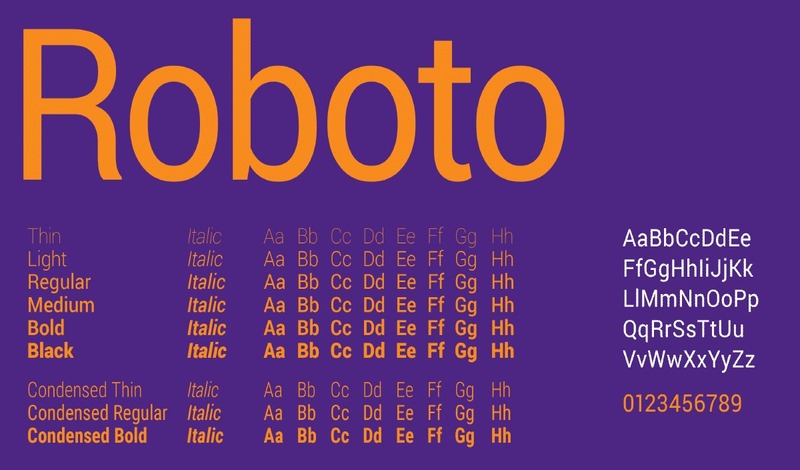
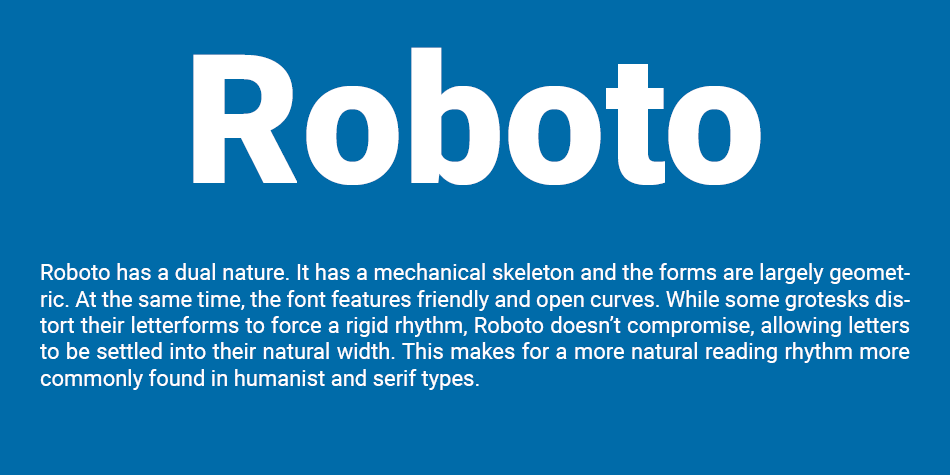
The typeface features dual nature: it has a mechanical skeleton with largely geometric forms, yet maintains friendly and open curves. The result is a reading rhythm that is natural and comfortable, perfect for user interfaces, body text, and headlines alike.
Why Choose Roboto Font?
Professional and Modern Design
Roboto's clean, contemporary aesthetic makes it perfect for modern digital projects. Its professional appearance works well for corporate websites, mobile applications, and branding materials. The font's versatility allows it to adapt to various design contexts without losing its distinctive character.
Excellent Readability
One of Roboto's strongest features is its exceptional readability across different screen sizes and resolutions. Google designed it specifically for mobile devices, ensuring that text remains clear and legible even on smaller screens. The letterforms are carefully crafted to reduce eye strain during extended reading sessions.
Complete Font Family
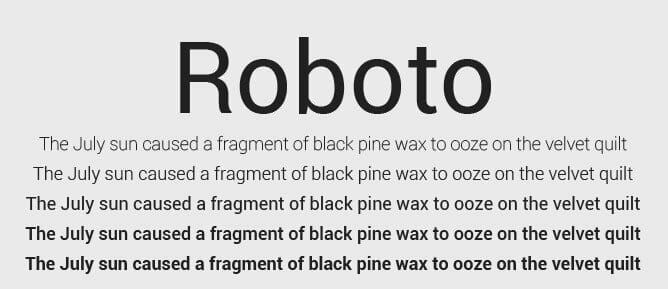
Roboto comes in a comprehensive family with multiple weights and styles:
- Roboto Thin (100): Ultra-light weight for elegant headlines
- Roboto Light (300): Delicate yet readable for subheadings
- Roboto Regular (400): Perfect for body text
- Roboto Medium (500): Slightly bolder for emphasis
- Roboto Bold (700): Strong weight for headlines and CTAs
- Roboto Black (900): Heavy weight for maximum impact
Each weight also includes italic variants, giving you 12 different styles to work with. This extensive family allows for rich typographic hierarchies and diverse design applications.
Free and Open Source
Perhaps the most attractive feature is that roboto font free download is available under the Apache License 2.0. This means you can use it freely in personal and commercial projects without any licensing fees or restrictions. The open-source nature also ensures the font will remain accessible and supported by the design community.
How to Download Roboto Font Free
Method 1: Google Fonts
The easiest way to get Roboto is through Google Fonts, which offers a simple download process:
- Visit the Google Fonts website
- Search for "Roboto" in the font directory
- Select the weights and styles you need
- Click "Download family" to get the font files
- Extract the ZIP file to access the font files
Method 2: GitHub Repository
For developers who prefer direct access to source files, Roboto is available on GitHub. The official repository contains all font files in various formats, including TTF, OTF, and web fonts. This method is ideal if you need the latest version or want to contribute to the project.
Method 3: Package Managers
Developers can also install Roboto through package managers like npm or yarn for web projects, making it easy to integrate into modern development workflows.
Installing Roboto Font on Different Platforms
Windows Installation
To install Roboto on Windows:
- Download the font files (TTF or OTF format)
- Right-click on each font file
- Select "Install" or "Install for all users"
- The font will be available in all applications after installation
macOS Installation
For Mac users:
- Download the Roboto font family
- Double-click on each font file to open Font Book
- Click "Install Font" in the preview window
- Alternatively, copy font files directly to ~/Library/Fonts
Linux Installation
On Linux systems:
- Copy font files to ~/.fonts or /usr/share/fonts
- Run "fc-cache -f -v" to update the font cache
- Verify installation with "fc-list | grep Roboto"
Using Roboto Font in Web Projects
Google Fonts CDN Method
The simplest way to use Roboto on websites is through Google Fonts CDN. Add this to your HTML head:
Then use it in your CSS:
body {
    font-family: 'Roboto', sans-serif;
}
Self-Hosted Method
For better performance and privacy, you can self-host Roboto fonts. Download the font files and use @font-face declarations in your CSS:
@font-face {
    font-family: 'Roboto';
    src: url('/fonts/Roboto-Regular.ttf') format('truetype');
    font-weight: 400;
    font-style: normal;
    font-display: swap;
}
Best Practices for Using Roboto
Choosing the Right Weight
Use lighter weights (100-300) for large headlines and display text where elegance is desired. Regular (400) works best for body text, ensuring comfortable readability. Medium (500) and Bold (700) weights are excellent for subheadings, buttons, and elements that need emphasis.
Pairing Roboto with Other Fonts
Roboto pairs well with serif fonts for contrast. Popular combinations include:
- Roboto + Roboto Slab (for cohesive design)
- Roboto + Merriweather (modern meets traditional)
- Roboto + Playfair Display (tech meets elegance)
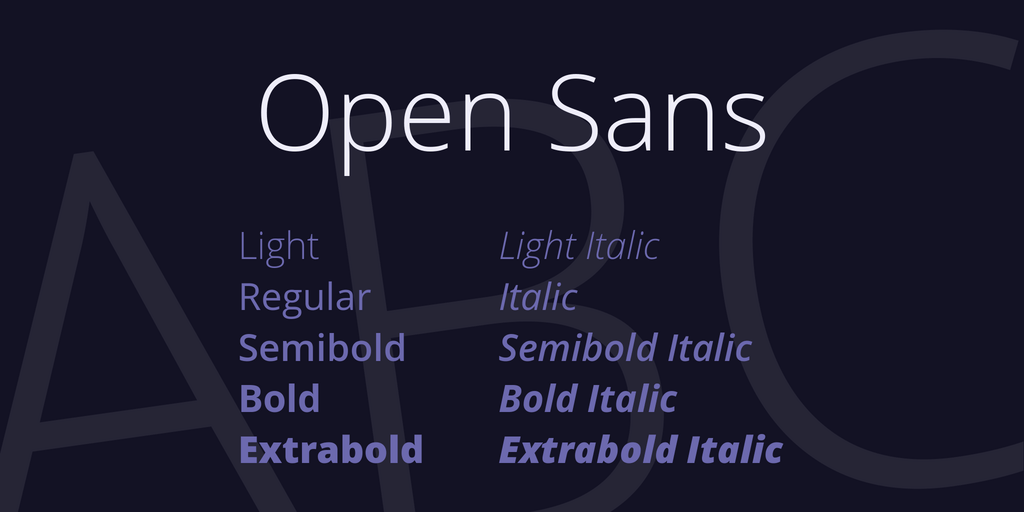
- Roboto + Open Sans (both geometric sans-serifs)
Optimal Size and Line Height
For body text, use 16-18px font size with a line height of 1.5-1.6 for optimal readability. Headlines can range from 24px to 72px depending on the hierarchy and available space. Always test your typography on actual devices to ensure readability.
Color and Contrast
Maintain sufficient contrast between text and background. For body text, aim for a contrast ratio of at least 4.5:1 to meet WCAG AA standards. Lighter weights require higher contrast ratios to maintain readability.
Roboto in Popular Applications
Roboto is the default system font for Android devices, making it familiar to billions of users worldwide. It's also widely used in:
- Mobile Applications: Native Android apps and cross-platform applications
- Websites: Corporate sites, blogs, e-commerce platforms
- User Interfaces: Dashboard designs, admin panels, web applications
- Print Materials: Business cards, flyers, presentations
- Branding: Logos, marketing materials, brand guidelines
Roboto Variants and Related Fonts
Roboto Condensed
A narrower version of Roboto, perfect for tight spaces and dense information layouts. It maintains the same readability while occupying less horizontal space.
Roboto Slab
A slab serif companion to Roboto, ideal for headlines and creating typographic hierarchy when paired with the original Roboto sans-serif.
Roboto Mono
A monospaced variant designed for code editors and technical documentation. It maintains Roboto's friendly character while providing the fixed-width formatting necessary for programming.
Performance Considerations
When using Roboto on websites, optimize for performance:
- Only load the weights and styles you actually use
- Use font-display: swap to prevent invisible text during loading
- Consider using variable fonts for better performance
- Preload critical font files to improve initial rendering
- Use WOFF2 format for the best compression and browser support
Conclusion
Roboto font stands as one of the most versatile and reliable typefaces available for modern design projects. Its combination of excellent readability, professional appearance, extensive font family, and free availability makes it an ideal choice for designers and developers alike. Whether you're building a mobile app, designing a website, or creating print materials, Roboto provides the flexibility and quality you need.
With this guide, you now have all the information necessary to download, install, and effectively use Roboto in your projects. Its widespread adoption and Google's continued support ensure that Roboto will remain a relevant and valuable design resource for years to come. Start experimenting with different weights and styles to discover how Roboto can elevate your design work.


.jpg)